Google Sheets Formulas
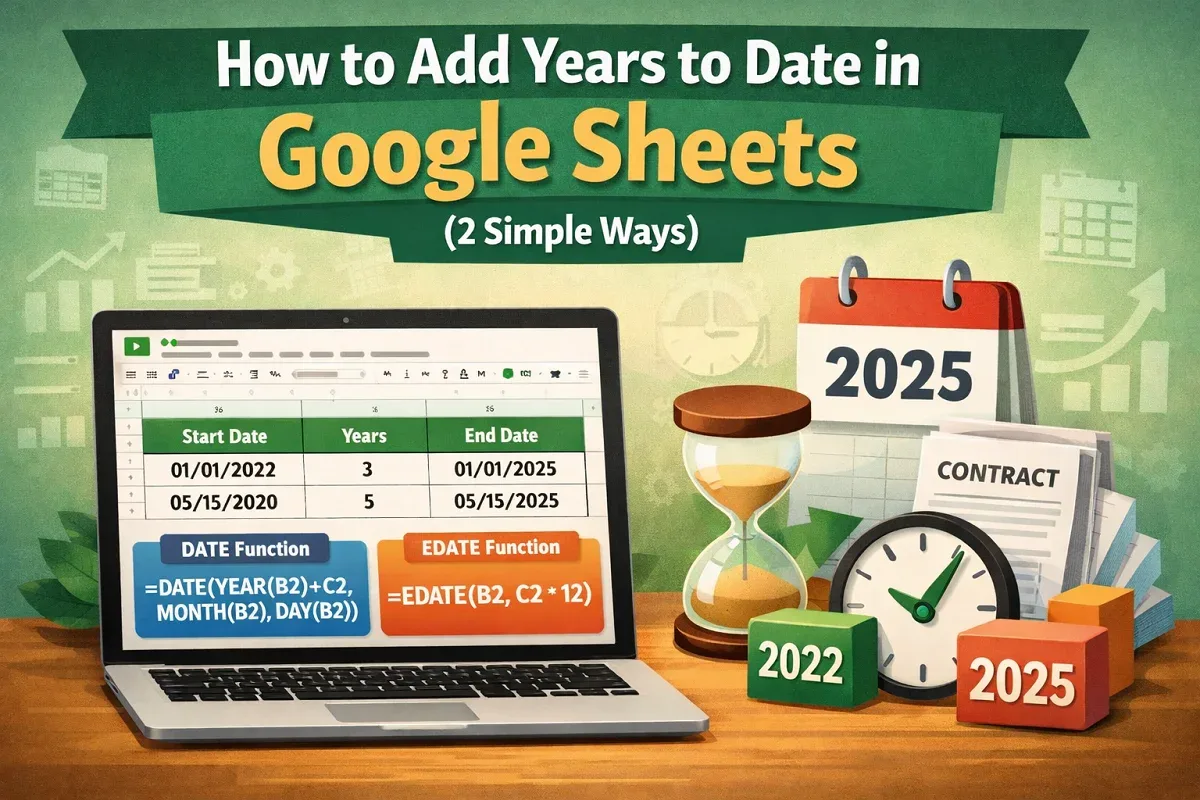
How to Add Years to Date In Google Sheets (2 Simple Ways)
Learn how to add years to date in Google Sheets using the DATE function or apply the EDATE function to add years by months easily.
Read article

9 articles tagged with “Google Sheets Date Formula”
Learn how to add years to date in Google Sheets using the DATE function or apply the EDATE function to add years by months easily.
Learn how to calculate months between two dates in Google Sheets using DATEDIF, fractional month formulas, ARRAYFORMULA, and day differences.

Learn how to add months to a date in Google Sheets using EDATE, dynamic columns, and how to fix date formatting issues easily.

Learn how to get weekday names from dates in Google Sheets using TEXT, WEEKDAY, CHOOSE, SWITCH, ARRAYFORMULA, and Apps Script methods.
Learn how to add dates automatically in Google Sheets using fill handle, SEQUENCE, dynamic functions, and skipping weekends.
Learn how to compare dates in Google Sheets using logical operators, IF function, TODAY for deadlines, and conditional formatting for visuals.
Count days from a specific date to today in Google Sheets using TODAY, DATEDIF, ARRAYFORMULA, and automate with Apps Script.

Add days to a date in Google Sheets using formulas, the WORKDAY and EDATE functions, or Google Apps Script for automatic updates.
Learn how to calculate age from date of birth in Google Sheets using DATEDIF, YEARFRAC, and methods for years, months, and days.