
Excel Pro Tips
How to Password Protect Excel Workbook from Opening
Learn how to password protect an Excel workbook from opening by using Encrypt with Password, Save As dialog box & Protect Workbook feature.
Read article


Md. Shihab Uddin holds a Graduation in Crop Science and Technology and is pursuing a Postgraduate degree in Soil Science from the University of Rajshahi. With 4+ years of Excel and Google Sheets experience, he specializes in formulas, data cleaning, lookups, automation, VBA, formatting, and file management. He has authored 100+ in-depth Excel articles and is skilled in Power Automate, RPA, and Python. He enjoys creating efficient workflows and solving real-world data problems.
Articles by Shihab Shahriar are developed under the guidance of ExcelInsider’s core training program and are technically reviewed by Nehad Ulfat, lead spreadsheet consultant, to ensure accuracy and user-centric value.
Learn how to password protect an Excel workbook from opening by using Encrypt with Password, Save As dialog box & Protect Workbook feature.
Learn how to highlight entire row in Excel with conditional formatting using cell values, numeric criteria, logical functions or dropdowns.

Learn how to show data bars with percentage in Excel using conditional formatting, the REPT function, and options for negative values.
Learn how to print selected area in Excel by setting page breaks, defining named ranges, using Page Setup, or Print Selection options.
Learn how to move page breaks in Excel by enabling page break movements, using drag-and-drop actions, or applying VBA macros for control.

Learn how to change theme colors in Excel by applying built-in themes, creating custom themes, using .thmx files, or adjusting settings.
Learn how to save Excel file as CSV with UTF-8 encoding using Save As, Google Sheets as a bridge, or a VBA macro for proper data formatting.
![[Fixed] Cannot Open the File Because the Extension Is Not Valid](https://pub-b39c974f4c124a36a2fb517be38076ec.r2.dev/images/2026/08/featured-image-excel-cannot-open-the-file-because-the-extension-is-not-valid-1780b661.webp)
Fix 'Excel cannot open the file because the extension is not valid' by using Open and Repair, correcting extensions, Safe Mode, or settings.
Learn how to copy from Word to Excel into multiple cells using Paste Special, Text to Columns, or copy-paste tools to import tables easily.

Learn how to remove specific text from cells in Excel using Find and Replace, Flash Fill, SUBSTITUTE, REPLACE, or custom VBA functions.
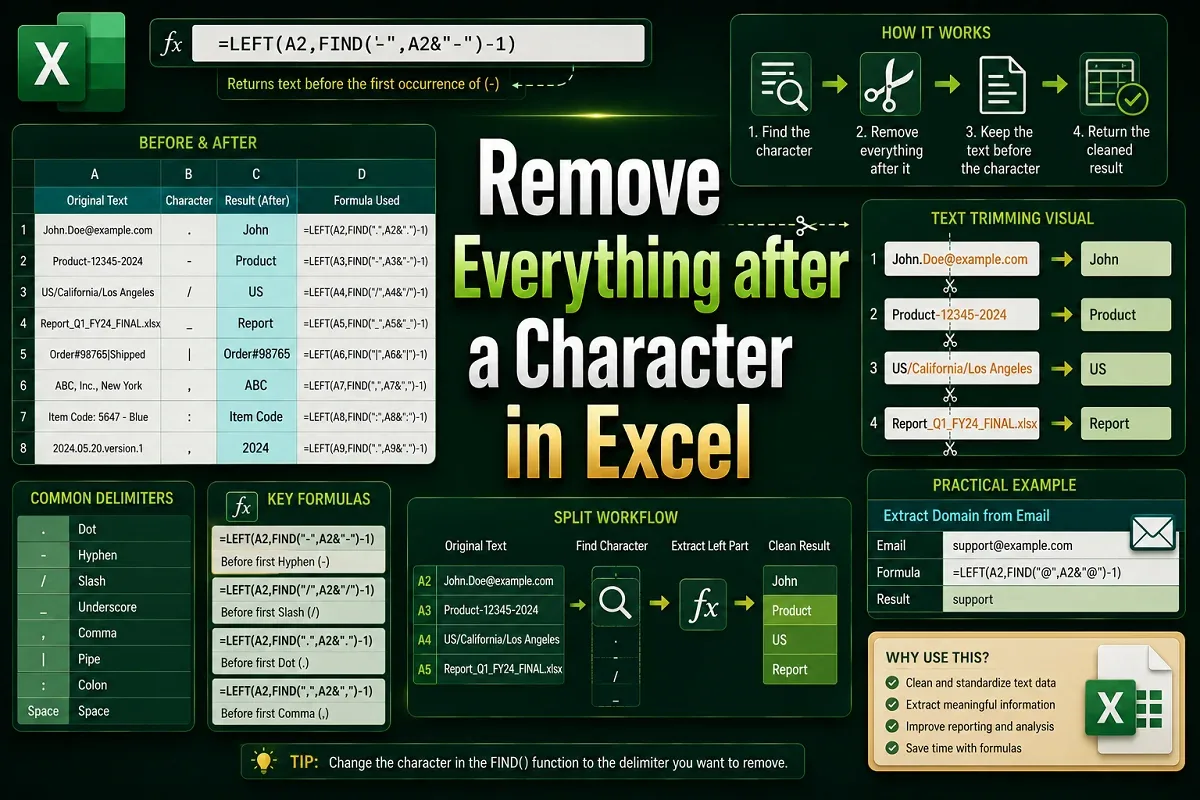
Learn how to remove everything after a character in Excel using Find & Replace, LEFT, FIND, SUBSTITUTE for Nth occurrence, and Flash Fill.

Learn how to remove unwanted characters in Excel using Find & Replace, SUBSTITUTE, TRIM, Flash Fill, and LEFT/RIGHT with LEN functions.