If you want to reverse the order of data in a row or rearrange your dataset from right to left instead of left to right, Excel has several easy ways to flip data horizontally. Whether you’re working ...
If you need to locate empty cells in a dataset, whether to fill them in, highlight them, or remove them, Excel offers several quick and reliable methods. Finding blanks is useful for cleaning data, ...
Working with large spreadsheets, counting columns, or following formulas gets a little tricky. Excel labels columns with letters by default, but sometimes it’s easier to follow along when columns are ...
If you’re working with Excel and need to clean up your dataset fast, deleting rows where a certain cell contains a specific word or value can save a lot of time. Also you can filter out zeros, remove ...
A Data Dictionary in Excel is an essential tool that serves as a centralized reference, providing clear descriptions of each field in a dataset, making it easier for users to understand and manage ...
Excel’s Spell Check is a handy feature that helps maintain error-free text in datasets. However, it can sometimes fail to detect spelling errors due to factors such as protected sheets, formula-based ...
Creating a search box in Excel makes it easier for users to quickly locate and display specific data within a dataset without needing to scroll manually. Using Excel's built-in tools and functions, ...
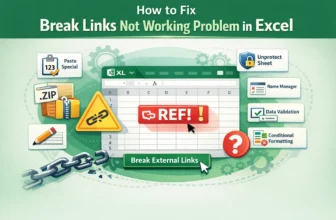
While breaking links in Excel is usually straightforward, it can become challenging when the Break Links tool fails to work. This often happens when broken external links are hidden within formulas, ...
Broken links in Excel occur when formulas, charts, or data references point to sources that are missing, invalid, or no longer accessible. Excel allows users to easily locate and deal with broken ...