Pivot tables are very useful for data analysis in Excel. In order to ease our analysis, we can use different layouts in a pivot table. In this article, we will learn how to change pivot table layout ...
After creating a pivot table, we often have to add more rows in the future. But a pivot table won’t automatically pick up the new data source. In this article, we will learn how to change pivot table ...
These days, pivot tables are often used in excel for data analysis. The process is not very straightforward, and people often struggle to create a proper pivot table with relationships and ...
In Excel, we regularly need to display long text entries clearly within a single cell. That may happen in many situations such as addresses, product details, or notes. We need to do that without the ...
When we work with large datasets, sometimes we need to find a specific text within a range and then return its cell reference. It is a common practice. For example, this is useful in inventory ...
In Excel, sometimes we take date input as a number. But later we need to convert those numbers or text strings into a date like YYYYMMDD format. That is because Excel only recognizes these YYYYMMDD ...
In Microsoft Excel, we often need to merge two sheets. That can be based on one common column like a customer ID or employee number. This is useful when different pieces of information are stored ...
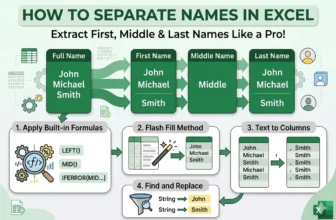
In Excel, managing name data becomes crucial when dealing with employee lists, student records, customer databases, or contact sheets. One common task is separating a full name into first name, ...
Working in Google Sheets often means collaborating with colleagues, clients, or classmates. Sometimes, you need to keep sensitive financials, company plans, or confidential notes private. You might ...