When working with dropdowns in Google Sheets, sometimes having just one list of values is not enough. You may want a second dropdown to dynamically update its options based on what’s selected in the ...
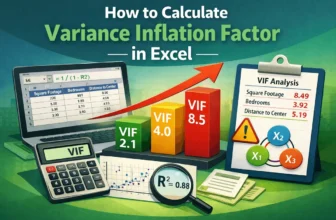
Is multicollinearity misleading your regression results? The Variance Inflation Factor (VIF) helps you determine the degree of multicollinearity between independent variables and interpret the ...
A chart's data is the source from which it's plotted. To select data for a chart in Excel, we can select it before creating a chart or select the source data after plotting a blank chart.To ...
When you're using Google Sheets to keep track of a contact list or sign-ups, sometimes the same name or email can show up more than once. It happens a lot and you can get rid of this situation ...
Managing schedules, tracking deadlines, or organizing event logs in Google Sheets often depends on one thing: having your data sorted by date. Whether you're working on project timelines or reviewing ...
uppercaseIn Google Sheets, you cannot expect to have a capitalized first letter automatically. Making the first letter uppercase manually is very tiring. So we have come up with some useful methods ...
The equation of a trendline is the closest relation between variables. To find the equation of a trendline in Excel, we can use the built-in feature or we can calculate it manually.An equation is ...
When working with messy data, it’s common to find text in a single cell separated by different types of delimiters like commas, hyphens, spaces, or slashes. Unfortunately, the built-in SPLIT function ...
Want to share only one tab in Google Sheets? It's super easy and quick with our guide. Google Sheets is the most versatile tool for collaboration. This has every solution you can think of! Sharing ...