Theme colors are applied to text, shapes, charts, tables, and more. Each theme includes 12 colors: 6 for text/background and 6 for accents/hyperlinks. Changing theme colors in Excel is an easy way to ...
If you are working with data that includes special characters (like accents, emojis, or non-English text), saving your Excel file in the right format is necessary. One common issue we sometimes face ...
Multiplying an entire column by a constant value in Google Sheets is an effective way to adjust data at scale. Instead of entering formulas row by row, you can apply one formula that updates ...
Sometimes when you double-click an Excel file, you get the message: "Excel cannot open the file because the extension is not valid." This issue is common among users who receive files from email, ...
Copying from Word to Excel into multiple cells means transferring data in such a way that each piece of information (e.g., name, department, date) goes into its own separate Excel cell, rather than ...
In Excel, it is common to deal with messy or imported data that includes unwanted text such as suffixes, prefixes, or tags within a cell. If you are cleaning email addresses, product IDs, or ...
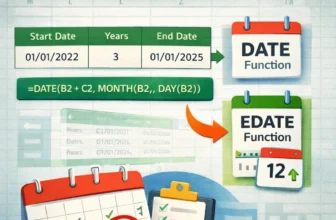
Adding years to a date in Google Sheets is useful when you work with time-based data. Google Sheets makes this easy with built-in date functions that calculate new dates based on your current ones. ...
When we prepare professional or academic reports in Excel, we often need to add extra details like page numbers, file names, or dates to make the document more informative. To do so, we need to edit ...
When we work with Excel files that contain multiple pages or print areas, sometimes extra blank pages appear when printing or exporting. These extra pages can cause confusion and wasted resources. ...