Phone numbers usually start with the “+” symbol or “0”, and Google Sheets interprets it as a formula or mathematical calculation. So, when we deal with a dataset in Google Sheets, including phone ...
When working with Excel, you may need to deal with large datasets that contain duplicate entries. Obviously, these duplicates can affect your data accuracy and analysis. So, sometimes you may need to ...
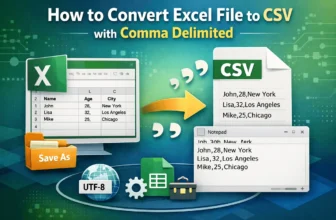
When working with structured data across systems, exporting data from Excel into a CSV format is a common requirement for data exchange, storage, and import/export. That’s especially useful when ...
Commonly, you often need to integrate Excel data into Word documents while preparing for reports, presentations, proposals, and so on. But when you need to change the data frequently, manually ...
In Excel, you may often need to verify whether a cell contains any value from a predefined list of items. This is particularly helpful for validating user inputs, flagging specific content in ...
In Excel, the INDIRECT function helps you build references using text strings instead of hardcoded cell or range references. This is especially useful when you want to dynamically pull data from ...
In Excel, you might often need not just the value from a lookup, but also the exact cell address where that value is found. This is especially useful when you want to reference or highlight that cell ...
Looking up values based on multiple criteria is a common challenge in Excel because the VLOOKUP function natively supports only a single lookup value. To overcome this, you can use several practical ...
Returning all rows that match specific criteria is a common task in Excel for filtering data, creating reports, and analyzing information. Whether you want to extract sales data by region or list ...