When building smart Excel forms or dashboards, dropdown lists that change based on another cell can dramatically improve usability. Whether you're managing categories, subcategories, or dynamic data, ...
If you're working with large datasets in Excel, spotting incorrect entries manually can be time-consuming and error-prone. Luckily, Excel provides a built-in Circle Invalid Data feature that visually ...
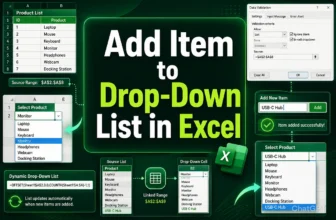
If you're using Excel for data entry or forms, drop‑down lists are powerful for ensuring consistent, error‑free inputs. But once your list is set up, adding new options can feel rigid. Excel offers ...
A dynamic dependent drop-down list in Excel lets you control the items shown in one drop-down based on the selection in another. This functionality is perfect for creating smarter, interactive ...
Creating a drop-down list in Excel is one of the most effective ways to guide user input, minimize data entry mistakes, and standardize your spreadsheets. Whether you're managing product categories, ...
In Excel, applying conditional formatting based on another cell range means we format our selected cells using the values from other cells. During the process, you must use a suitable formula to ...
Flipping a table in Excel mostly refers to two things: reversing the data order upside down or swapping columns and rows. Excel doesn’t offer direct functions or features for either, so we need to ...
Adding a sorted drop-down on the column heading makes repetitive entries faster and reduces human errors. To sort a drop-down in Excel, you can use the Data Validation tool.➤ Create a helper ...
Unnecessary blank cells in your Excel sheet interfere with data presentation, analysis, and calculations. Excel's Go To Special feature allows you to select the blank cells, delete them, and shift ...