Combining formulas in Excel allows you to find insightful summaries, which is useful for data analysis. This article covers five easy ways to combine two formulas in Excel with proper explanation and ...
Microsoft Excel has genuinely two types of cell reference systems: absolute and relative cell reference. These work differently while copying or moving Excel formulas. That’s why understanding the ...
Combining text and numbers is often necessary for summaries and labels. For example, for sales data, you might need to integrate the text ‘Total’ with the sales value in numerics to show the total ...
Manually scanning through a long list of data and finding a specific value or text is not a joke. It can be a more hectic task than you can think of. Whether you need to manage any project, track ...
Controlling food costs is crucial for running a profitable restaurant or food service business. When deciding food pricing based on menus, weekly performances, and especially the inventories, the ...
Working with growing datasets, we often have to refer to specific cell ranges repeatedly. For calculations, charts, drop-down menus, and conditional formatting, references to cell ranges are created. ...
Protecting specific Excel cells from editing prevents unwanted changes, deletions, and data loss. By default, all cells in Excel are set as Locked. However, locking has no effect until you lock the ...
The hierarchy chart is a visual representation of a system where elements are organized according to importance, authority, or relationship levels. It helps users to clearly visualize team ...
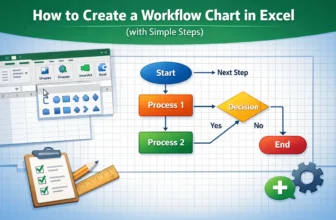
A workflow chart in Excel visually represents the sequence of steps in a process, making it easier to understand, analyze, and improve operations. With Excel’s built-in tools like Shapes, Connectors, ...