When managing data in Google Sheets, highlighting cells based on text in another cell can help you quickly identify patterns, categories, or actions required. Whether you're reviewing task statuses, ...
We often need to calculate percentage change in various tasks. In this article, you will learn a simple formula to calculate percentage increase when working with data such as monthly expenses, ...
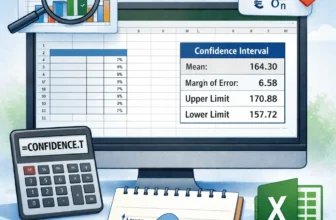
A confidence interval helps you understand the accuracy of your data estimates beyond simple averages. In this tutorial, you’ll understand what a confidence interval is and how to calculate ...
Conditional formatting in Google Sheets becomes even more powerful when paired with checkboxes. Whether you're building a task tracker, attendance sheet, or inventory checklist, you can visually ...
Google Sheets makes it easy to calculate the number of days between any given date and today’s current date. This is especially useful for tracking how long it's been since an event occurred, like a ...
When organizing data in Google Sheets, you may come across cells containing multiple items separated by commas, spaces, or other delimiters. Splitting this kind of data vertically, so each item gets ...
When working with schedules, deadlines, or tracking systems, you often need to calculate future dates by adding a number of days to a given date. Google Sheets makes this incredibly easy with basic ...
In Google Sheets, there are times when you want a formula to reference different cells based on user input or logic, without manually updating the formula. This is where dynamic cell referencing ...
When working across multiple spreadsheets, you may need to pull data from a cell in a different Google Sheets file, commonly referred to as referencing another workbook. This is useful for creating ...