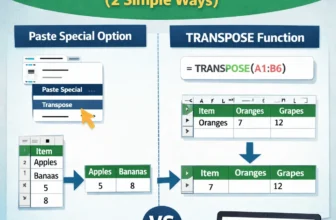
For formatting or analysis, we often need to convert columns to rows in Google Sheets. For this purpose, we can use the built-in option Paste Special or the TRANSPOSE function. In this article, we ...
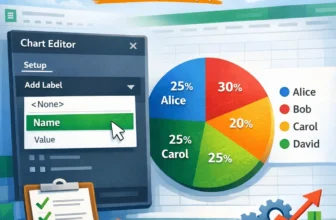
We need to label legends in Google Sheets to ensure that the viewers of our charts understand the insights clearly. Although charts in Google Sheets usually include a label legend, it may sometimes ...
The COUNTIFS function in Excel is an excellent tool that lets you count the number of entries that meet multiple criteria. But beyond the basic syntax, there are many advanced use cases that make it ...
Ranking data is a crucial part of analyzing performance, whether you're working with exam results, employee metrics, or product sales. It helps you identify top performers, compare values quickly, ...
When you're working with time-based data in Excel like sales, expenses, or activity logs, it's often necessary to calculate totals for a specific month. Maybe you’re preparing monthly reports, ...
When analyzing data in Excel, it’s often needed to exclude specific entries to get accurate totals. Whether you're working with product sales, customer records, or performance metrics, there are ...
When working with large datasets in Excel, you may often need to sum values based on more than one condition. The SUMIFS function is designed for exactly this purpose. With the SUMIFS function, you ...
When managing spreadsheets, it's common to need a prefix added to the beginning of existing data. You might want to label items like “Verified-101,” organize employee IDs as “EMP-123,” or distinguish ...
To make our data look organized and clear, we sometimes need to merge rows in Google Sheets, especially in the case of grouped data. To do it, we can use the default merge option, Merge Vertically, ...