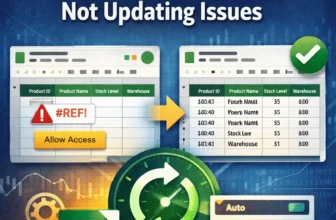
IMPORTRANGE is a powerful function in Google Sheets that lets you pull data from one spreadsheet into another. However, users face issues when IMPORTRANGE stops updating automatically. This can cause ...
When working with dated records in Excel, you often need to count entries that match a specific time window and meet a related text condition. The COUNTIFS function lets you do exactly that, allowing ...
When working with Excel datasets, you often need to count how many rows meet multiple conditions across different columns. While the COUNTIF function handles a single condition, the COUNTIFS function ...
Each method is demonstrated using a real-world product dataset as an example.When dealing with product descriptions or tags, it's common to check how many of those cells contain keywords from a ...
Combining the IMPORTRANGE and FILTER functions lets you pull and display data from another Google Sheet based on specific conditions. But when you need to apply multiple criteria, things get ...
In Excel, calculating the average of values that fall between two limits (like 50 and 100) isn’t as straightforward as it seems. While AVERAGEIF function supports one condition, it doesn't directly ...
When working with structured datasets in Excel, you may want to calculate the average of values but only when a related cell contains certain text. Whether it’s a product name, region, or category ...
To calculate win-loss percentage in Excel, you need to put the number of wins and losses for a team in two separate columns. Based on this data, we can use mathematical calculations to express ...
Need to connect data between two different Google Sheets files? Whether you're building dashboards, pulling reports from other teams, or organizing a multi-sheet workflow, Google Sheets offers ...