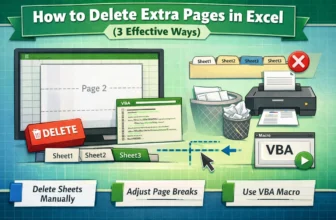
When we work with Excel files that contain multiple pages or print areas, sometimes extra blank pages appear when printing or exporting. These extra pages can cause confusion and wasted resources. ...
When we try to print an Excel sheet or page, it doesn’t always print exactly what we intend. If we click on the Print option, Excel will print the entire sheet by default. Thus, we often need to set ...
Converting text to sentence case is a common formatting task often required in Excel. A sentence case is where just the first letter of the first word in a text string is capitalized and the rest are ...
Whether working with time data in Excel for project management, payroll, billing, or timesheets, it's sometimes required to convert hours and minutes into decimal format. This is particularly helpful ...
You will definitely need to convert hours to days in Excel if you work with time tracking, scheduling, or project timelines. Converting raw hour data into days can make reporting easier and make ...
Highlighting selected cells in Microsoft Excel is a necessary technique in order to improve data usability, highlight important information, and facilitate data analysis. Excel has several methods ...
Proper sorting of IP addresses in Excel can help spot address ranges, detect anomalies, configuration issues and maintain clean, searchable datasets. IP addresses (192.168.1.1 or 10.0.0.254 ...
Presenting data effectively often means going beyond spreadsheets. While Excel is perfect for creating and analyzing charts, PowerPoint is where those visuals truly shine in front of an audience. ...
Converting Excel spreadsheets into fillable PDF forms is a practical way to collect structured input while maintaining a clean, printable format. Whether used for data entry, reporting, or form ...