Time in decimals can be overwhelming, especially when dealing with huge time logs and calculations. It not only makes the Excel confusing but also makes the time calculation complex. To make the data ...
While dealing with time logs in Excel, we face a common inconsistency in time intervals. Most of the employee time logs and meeting schedules are often noted in Excel, which do not align with the ...
One easy method to make your data easier to read and better organized is to merge cells. Consider establishing a list that needs a single label covering many items that span multiple rows. In that ...
When you use Google Sheets to work with data, you often have to deal with repeated entries, like names, IDs, cities, or any text or numbers that show up more than once. Most of the time, people look ...
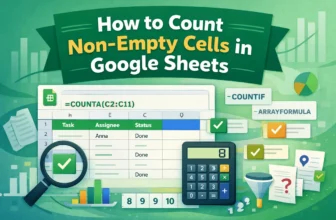
When you work with big datasets in Google Sheets, you might need to count only the cells that have data in them and leave out the empty ones. Counting non-empty cells helps you focus on the entries ...
When you import large sets of data from surveys, CRMs, or databases into Google Sheets, having duplicate data could screw up calculations, give you wrong overviews, or just make the sheet look ...
Calculating the time difference is a common task, especially in professional fields. From managing workers' timeshifts, the duration they worked, and for any tasks, you need to know how to calculate ...
Sometimes, you may need to transfer data from Excel to Word for reports, documents, and so on. However, when you want to keep your Word document clear, professional, and easy to read, it is important ...
When you’re dealing with large data tables in Excel, it can be helpful to visually identify the lowest value within columns or rows. Instead of scanning the data manually, it makes your large dataset ...